Top 20 Existing Security Cameras to Add ChatGPT To
- Written by
- Agentinosaurus Team
- Published
- Reading time
- 5 min read
Twenty of the most common RTSP cameras in US homes, shops and installer projects, from Tapo and Reolink to Amcrest, Hikvision, Axis and UniFi, and how to give each one ChatGPT-style AI alerts.
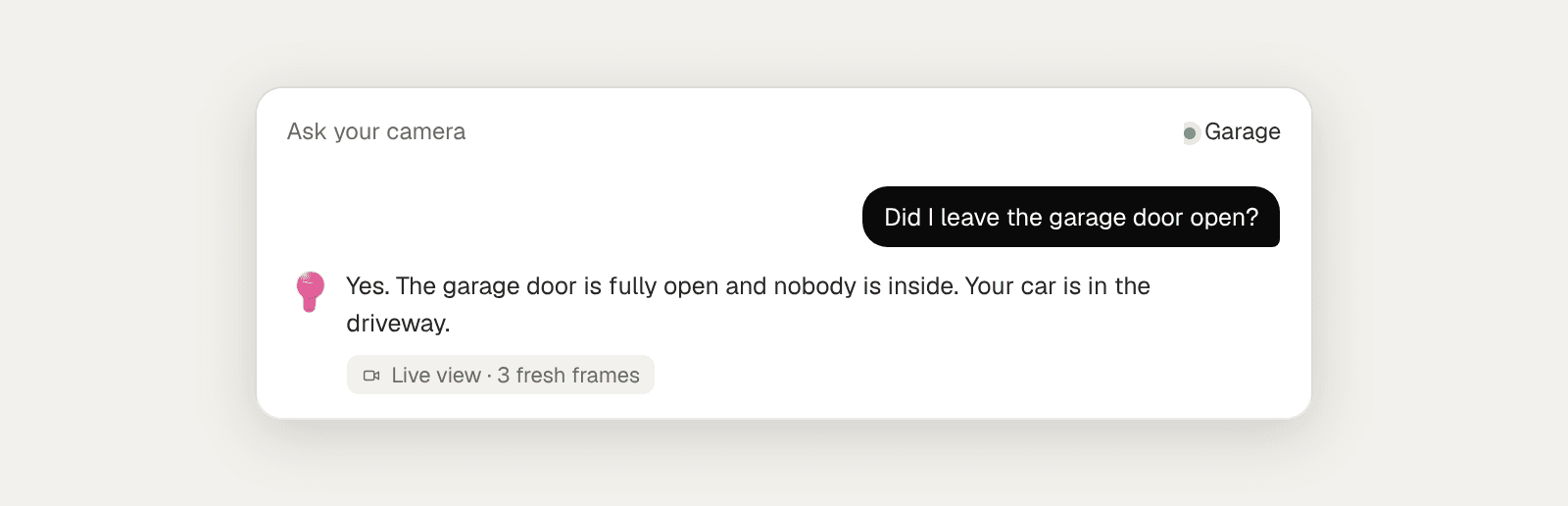
Can you add ChatGPT-style intelligence to a camera you already own?
Yes, if the camera can share a local RTSP stream, and most do. Agentinosaurus sends short series of frames from your camera to a vision model, either OpenAI’s (the company behind ChatGPT) with your own key or TypeSafe AI, and asks whether the situations you described are happening. You write those situations in plain language, like you would in ChatGPT.
The difference from ChatGPT itself: nobody has to upload a photo or ask a question. The camera is checked automatically, on your schedule, and you only hear from it when something matches.
Which twenty cameras are worth checking first?
We picked twenty models that are widely installed across the US: the Wi-Fi cameras people buy for their homes, the PoE cameras and doorbells of wired home systems, and the professional cameras CCTV installers put in shops, offices and warehouses. All of them offer a local stream.
This is a starting point, not a compatibility list. Agentinosaurus works with any camera that provides an RTSP stream, including thousands of models from these and other brands.
| # | Camera | Typical use | Stream address (main) |
|---|---|---|---|
| 1 | TP-Link Tapo C110 | Indoor, fixed | rtsp://CAMERA_IP:554/stream1 |
| 2 | TP-Link Tapo C210 | Indoor, pan & tilt | rtsp://CAMERA_IP:554/stream1 |
| 3 | TP-Link Tapo C120 | Indoor or outdoor | rtsp://CAMERA_IP:554/stream1 |
| 4 | TP-Link Tapo C320WS | Outdoor, color night vision | rtsp://CAMERA_IP:554/stream1 |
| 5 | TP-Link Tapo C500 | Outdoor, pan & tilt | rtsp://CAMERA_IP:554/stream1 |
| 6 | Reolink E1 Pro | Indoor, pan & tilt | rtsp://CAMERA_IP:554/Preview_01_main |
| 7 | Amcrest IP4M-1041 | Indoor, pan & tilt | rtsp://CAMERA_IP:554/cam/realmonitor?channel=1&subtype=0 |
| 8 | eufy Indoor Cam E220 | Indoor, pan & tilt | Generated in the eufy app (RTSP / NAS) |
| 9 | EZVIZ C6N | Indoor, pan & tilt | rtsp://CAMERA_IP:554/ch1/main |
| 10 | Reolink RLC-510A | Outdoor PoE bullet | rtsp://CAMERA_IP:554/Preview_01_main |
| 11 | Reolink RLC-811A | Outdoor PoE, optical zoom | rtsp://CAMERA_IP:554/Preview_01_main |
| 12 | Reolink Duo 2 PoE | Wide view for yards and lots | rtsp://CAMERA_IP:554/Preview_01_main |
| 13 | Reolink Video Doorbell PoE | Front door | rtsp://CAMERA_IP:554/Preview_01_main |
| 14 | Amcrest IP5M-T1179EW | Outdoor PoE turret | rtsp://CAMERA_IP:554/cam/realmonitor?channel=1&subtype=0 |
| 15 | ANNKE C800 | Outdoor 4K PoE | rtsp://CAMERA_IP:554/H264/ch1/main/av_stream |
| 16 | Hikvision DS-2CD2347G2-LU | Installer turret, color at night | rtsp://CAMERA_IP:554/Streaming/channels/101 |
| 17 | Dahua IPC-HDW5442TM-ASE | Installer turret | rtsp://CAMERA_IP:554/cam/realmonitor?channel=1&subtype=0 |
| 18 | Axis M2025-LE | Small business bullet | rtsp://CAMERA_IP:554/axis-media/media.amp |
| 19 | Hanwha Vision QNO-7082R | Commercial bullet | rtsp://CAMERA_IP:554/profile2/media.smp |
| 20 | Ubiquiti UniFi G5 Bullet | Prosumer and SMB (UniFi Protect) | Shared from UniFi Protect (see below) |
Which indoor cameras can you upgrade?
Indoor cameras get the most personal Events: a pet on the furniture, a child near the stairs, an older parent who falls. Pan-and-tilt models (Tapo C210, Reolink E1 Pro, Amcrest IP4M-1041, eufy E220, EZVIZ C6N) are easy to aim at exactly the right spot. The fixed Tapo C110 is the cheapest way to cover a hallway or entrance.
- Tapo, EZVIZ and eufy need a local stream switched on in their apps first.
- Reolink needs RTSP enabled once in Server Settings.
- Amcrest streams by default: the camera login is all you need.
Which Wi-Fi cameras suit outdoor AI monitoring?
Outdoors, lighting and weather decide more than resolution. The Tapo C320WS and other color-night-vision models give the AI a usable picture after dark, which is when many outdoor Events matter. The Tapo C120 and C500 cover gates, driveways and gardens from a single mounting point.
Keep outdoor Events concrete and tied to a place in the view: “A person is standing at the gate” is easier to judge from a distance than “someone suspicious”.
Which wired cameras and doorbells can you upgrade?
Wired PoE cameras are the backbone of many US home and small-business systems. Reolink’s RLC series and Duo models, Amcrest’s turrets and ANNKE’s 4K C800 all stream over RTSP, often on the same network as an NVR. Station can read each camera directly, or the channels your recorder shares.
Doorbells are a special case: many are battery-powered and cloud-only. Wired doorbells like the Reolink Video Doorbell PoE (and its Wi-Fi version) stream like any other camera, which makes the front door a great first Event: “A person is waiting at the door.”
What about installer cameras like Hikvision, Axis and UniFi?
Professional cameras are the easiest to connect: RTSP is part of the standard toolkit for Hikvision, Dahua, Axis, Hanwha Vision and Uniview, and ONVIF discovery usually finds them automatically. That is good news for CCTV installers, who can add AI to cameras already on a customer’s wall.
In the US, FCC rules adopted in 2022 restrict authorization of new Hikvision and Dahua video surveillance equipment, and government buyers can’t use them. Many existing systems still run these cameras, though, and they stream normally.
UniFi Protect shares a camera’s stream as an encrypted RTSPS link (port 7441). Station currently needs a plain rtsp:// address, which Protect also serves on port 7447 for the same stream token on many versions. Check your Protect version before planning a UniFi project.
How do you choose the best camera for AI?
Start with the camera you already have. A five-year-old camera pointed at the right spot beats a new 4K camera aimed at the wrong place. If you are buying, choose wired power, a local stream and a view that shows the whole situation, not just part of it.
- Find the camera’s RTSP address (the table above covers the common formats).
- Test it in VLC on a computer on the same network.
- Install Station on that computer and add the camera.
- Write one Event about something visible and test it in front of the camera.
- Connect any RTSP camera to Agentinosaurus
- Camera works in VLC but not in Station?
- Write your first Event
Which popular cameras can’t you add?
Ring, Google Nest and Blink cameras work through their own apps and clouds. They don’t offer a local RTSP stream, so Station can’t connect to them directly.
Most Arlo and SimpliSafe cameras are also cloud-first. Battery cameras in general often sleep between motion events, which rules out around-the-clock checks.
Wyze Cam v4 has no official RTSP option. An older Wyze Cam v3 needs Wyze’s separate RTSP firmware, which Wyze no longer actively develops, so treat it as a test rather than a long-term setup.