By default, LiquidAI d1 analyses frames on your desktop Station. No API key, no token bill, and frames don’t leave that computer.
Your cameras. Your computer. Your AI.
Agentinosaurus is local-first. Station analyses frames with an AI model on your own computer, so footage stays where it is. Prefer a cloud model? Frames go straight to the provider you choose, with your key. Our servers never receive your video.
Private where it matters most.
With local or cloud AI, we receive answers and incident details, never images or video.
Incident snapshots are kept on your Station for seven days, with a storage cap.
Where your data goes
Every check follows the same path. With local AI, frames never leave your premises.
- 1Your premises
- Cameras stream to Station on your local network
- Hidden areas are blacked out before any analysis
- Faces are blurred by default
- A local model analyses frames right here, by default
- Incident snapshots are stored here
- 2Cloud AI, if you choose it
- TypeSafe AI or OpenAI receives frames directly from Station
- Uses your own API key and your account’s data settings
- Billed to your account, not through us
- 3Agentinosaurus
- Your Events and instructions
- Answers, Messages and incident details
- Usage counts and device health
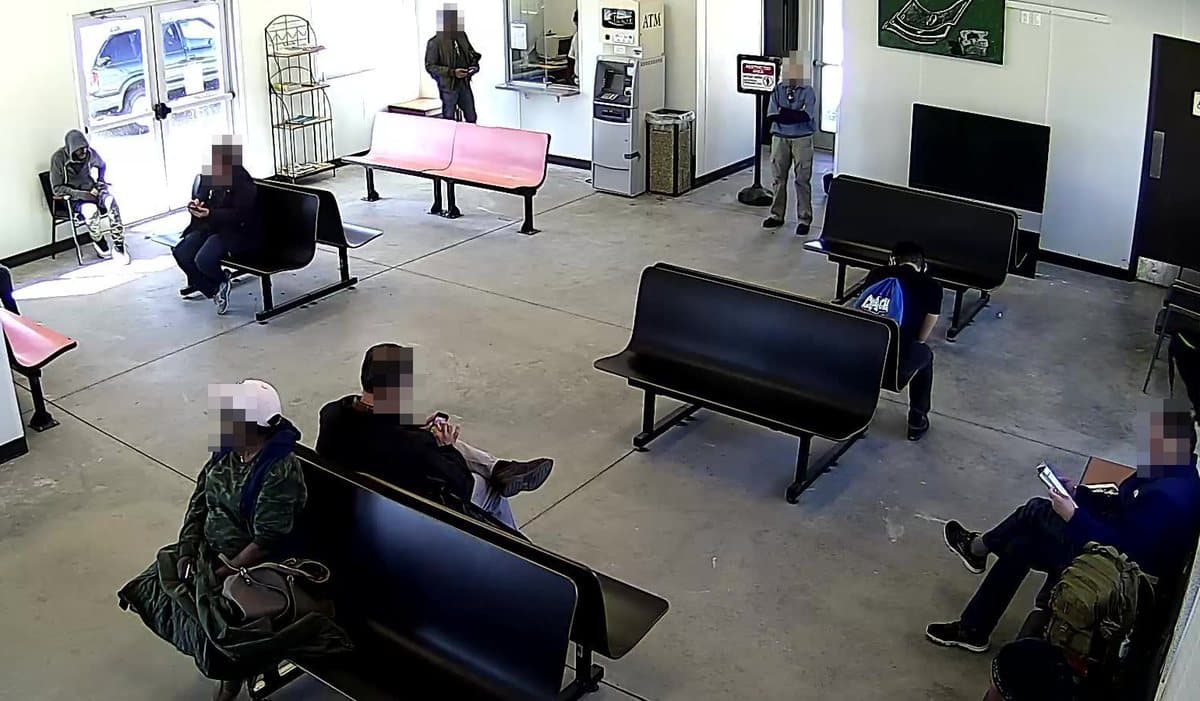
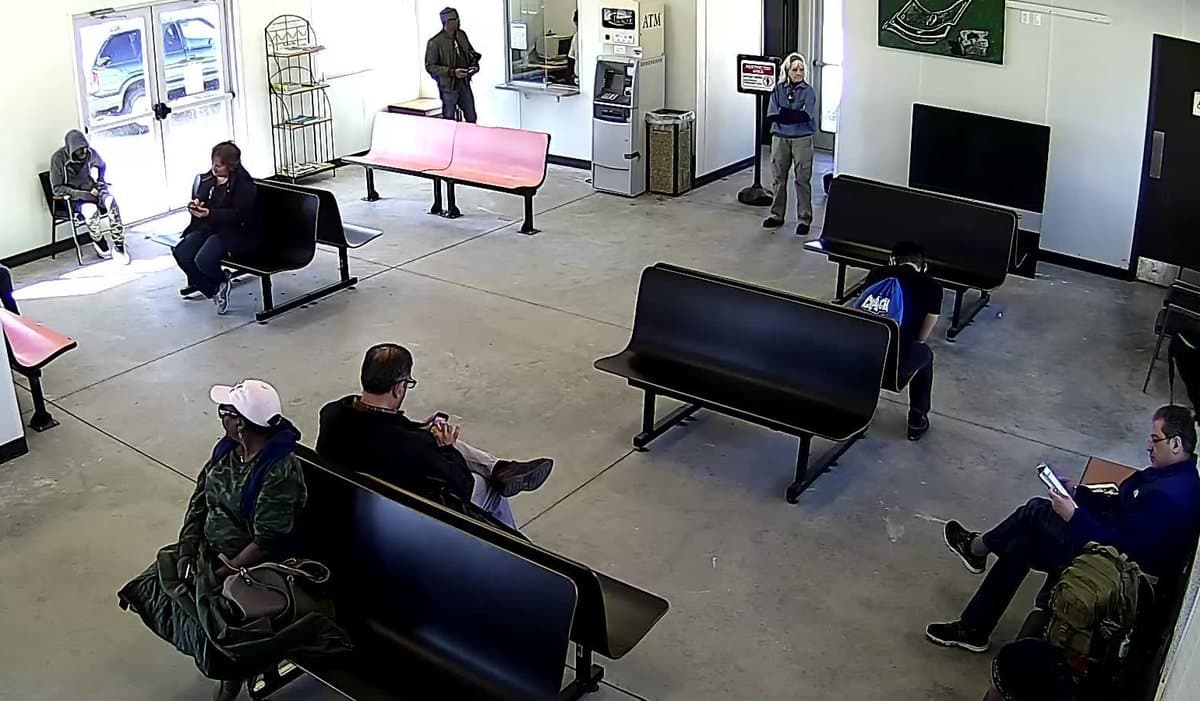
Blur faces before frames leave.
New cameras blur faces by default, and you can switch it off per camera. Station finds faces on your own computer and pixelates them before a frame goes to the AI, camera chat or incident snapshots. Drag across the image to compare.
Built to keep footage out of the cloud.
The privacy controls are part of how monitoring works, not settings you need to find.
Hidden areas
Black out a neighbour’s window, a desk or a doorway. Hidden areas are removed before frames leave your computer and never described to the AI.
Local by default
Desktop Stations analyse frames with a local model on the Station computer. It never falls back to a cloud provider.
Cloud only if you choose it
With a cloud provider, Station sends frames straight to it with your key. They never pass through or get stored on our servers.
Encrypted descriptions
Scene descriptions, Messages and sensitive account data are encrypted in our database.
Keys only where needed
AI provider keys are encrypted and delivered only to the Stations you assign them to. Every key action is logged for 30 days, without the secret.
Camera passwords in your browser
Camera addresses and passwords are encrypted in your browser for your Station. Our servers only relay the sealed envelope.
Local AI or a cloud provider
Local AI is the default on desktop Stations. Choose per Station, and override it for any camera.
| Local model | TypeSafe AI | OpenAI | |
|---|---|---|---|
| Where frames are analysed | Your Station computer | TypeSafe’s cloud | OpenAI’s cloud |
| Frames leave your premises | No | Yes, straight to TypeSafe | Yes, straight to OpenAI |
| API key | Not needed | Yours | Yours |
| Usage billed by | No token bill | TypeSafe, to your account | OpenAI, to your account |
| Extra hardware | 8 GB memory or more; a GPU makes it faster | None | None |
| Works on the mobile apps | No, desktop Stations only | Yes | Yes |
Camera Chat, where you ask a camera a question, uses your OpenAI key with every provider.
Learn more
Questions & answers
Does Agentinosaurus see my camera footage?↓
No. By default, Station analyses frames on your own computer with a local model. If you choose a cloud provider, frames go straight to it with your key. Our servers receive the answers and incident details needed to alert you, never your video or frames.
Do I need a cloud AI account?↓
Not on a desktop Station: the local model needs no API key and has no token bill. Android and iOS Stations, and Camera Chat, use your own cloud key.
Where are snapshots stored?↓
On your Station, for seven days and up to a storage cap. You can view them in your workspace while the Station is online.
Can I keep everything on my premises?↓
Frame analysis, yes: choose a local model and frames stay on the Station computer. Station still needs the internet to receive your Events and deliver alerts.
Where is my account data hosted?↓
Our application, database and backups are hosted by DigitalOcean in Frankfurt, Germany. AI providers and alert channels you choose may process data elsewhere under their own terms.
Can the AI see people’s faces?↓
Not by default. New cameras on an up-to-date Station blur faces, and Station pixelates them before any frame leaves your computer. You can switch it off per camera. Detection can miss a face, for example far away or turned from the camera, so use hidden areas for places that must never be seen.
Who can see what my AI provider receives?↓
Your provider processes frames under your own account and its data settings, such as retention and zero data retention where eligible. Check its terms before choosing it.
AI on your cameras. Your footage stays with you.
Get started$9 per camera per month. Local AI has no token bill.