Top 10 Things AI Can Watch For on Your Existing Cameras
- Written by
- Agentinosaurus Team
- Published
- Reading time
- 4 min read
Ten ready-to-use camera instructions for your home, driveway, shop or workplace, with the wording, camera placement and schedule that make each one work.
What can you ask an AI camera to watch for?
Anything the camera can clearly see. Instead of choosing from a fixed list like “person” or “vehicle”, you write a sentence and Agentinosaurus turns it into an Event. These ten examples work well as written. Copy one, adjust it to your camera, and test it.
Three rules make almost any Event better: describe something visible, name the place in the view, and set the hours when it matters.
| # | Event (copy as written) | Best schedule | Wait until it continues? |
|---|---|---|---|
| 1 | A person is in the driveway | Night | No |
| 2 | The garden gate is open | Always | Yes, 5 minutes |
| 3 | A package is on the doorstep | Daytime | No |
| 4 | The dog is on the sofa | While you’re out | No |
| 5 | The cat is on the kitchen counter | Always | No |
| 6 | The garage door is open | Evening and night | Yes, 10 minutes |
| 7 | A person is inside the shop | After closing | No |
| 8 | Boxes are blocking the marked walkway | Working hours | Yes, 15 minutes |
| 9 | A vehicle is parked in front of the gate | Always | Yes, 5 minutes |
| 10 | An animal is inside the raised vegetable bed | Dawn to dusk | No |
1. Is someone in the driveway after hours?
Use “A person is in the driveway.” Set the Event to run at night, so cars and deliveries during the day don’t count. Mount the camera high enough to see the whole driveway and the street edge.
2. Is the garden gate open?
Use “The garden gate is open.” Keep the whole gate and its latch in view. Because it’s a state rather than a movement, Agentinosaurus also notices a gate that was left open earlier, during its regular quiet-period checks.
3. Is a package by the front door?
Use “A package is on the doorstep.” Aim the camera low enough to show where couriers usually leave parcels. Combine it with a daytime schedule so you get one alert when it arrives, not one every evening.
4. Is the dog on the sofa?
Use “The dog is on the sofa.” Keep the sofa and the floor around it in view. If you have several pets, name the one you mean: “The large brown dog is on the sofa.”
5. Is the cat on the kitchen counter?
Use “The cat is on the kitchen counter.” Name the surface rather than asking for a general pet alert: the camera sees the cat everywhere, but only the counter is a problem.
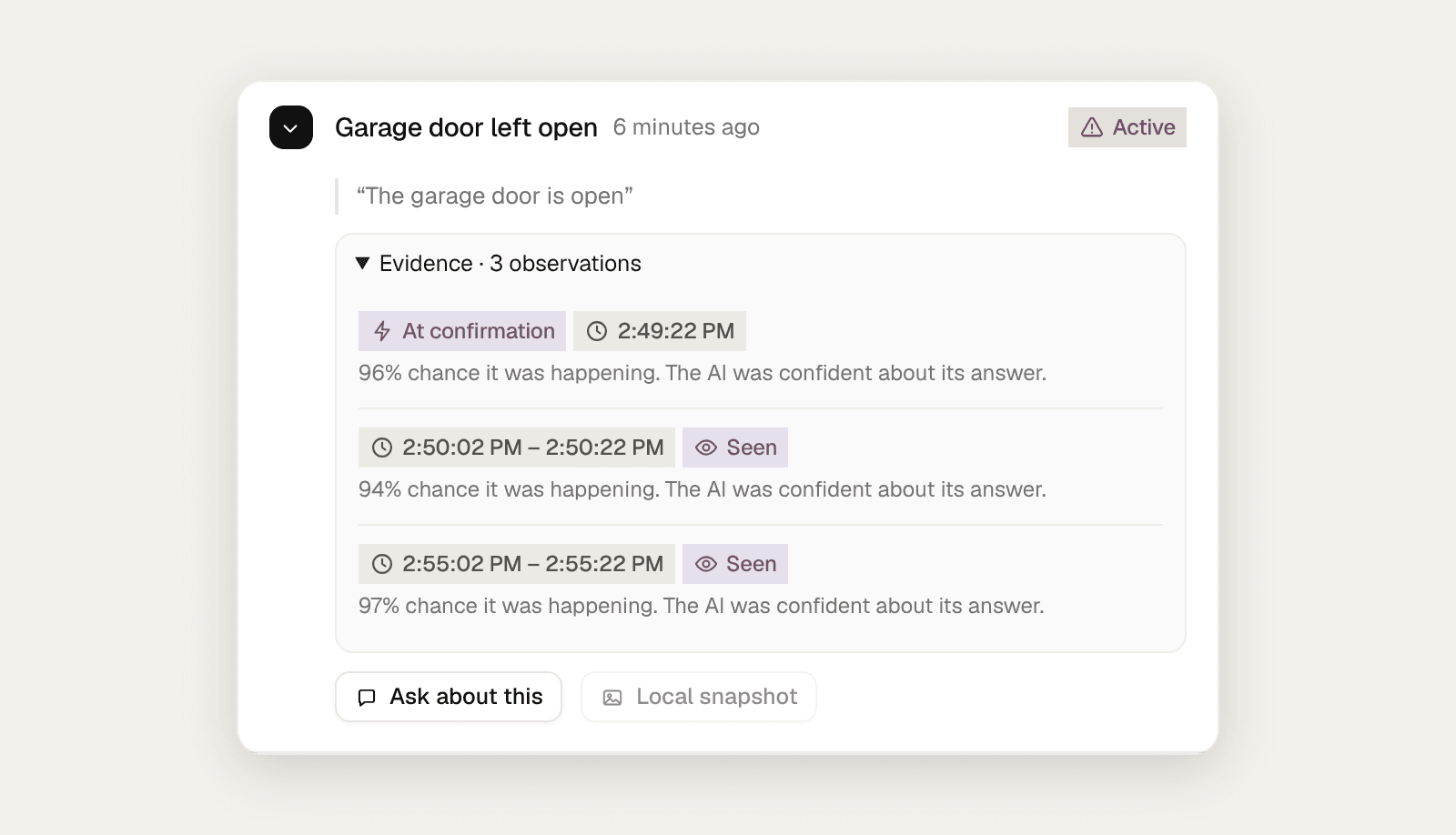
6. Is the garage door open?
Use “The garage door is open.” Choose a view that shows the difference between open and closed clearly, and require it to continue for ten minutes so you aren’t alerted every time you drive out.
7. Is someone inside the shop after closing?
Use “A person is inside the shop.” Apply your closing-hours schedule, so the same scene during opening hours never triggers it. Point the camera at the sales floor, not at the street-facing window, to avoid alerts from passers-by.
8. Are boxes blocking the walkway?
Use “Boxes are blocking the marked walkway.” Show the full path and its floor markings. Requiring it to continue for fifteen minutes ignores a pallet that is only passing through.
9. Is a vehicle parked in front of the gate?
Use “A vehicle is parked in front of the gate.” Show the gate and the space directly outside it. A short wait before alerting filters out cars that only stop for a moment.
10. Has an animal entered the vegetable bed?
Use “An animal is inside the raised vegetable bed.” Keep the bed clearly in view in daylight. Small animals are hard to see at a distance, so mount the camera close enough that the bed fills a good part of the picture.
What happens when AI spots one of these Events?
You get a Message in your workspace and a push notification with the camera, the Event and a short description of what the AI saw. An ongoing situation stays one incident, with optional reminders while it continues and a note when it ends. You can also send alerts to their own systems with Webhooks or Zapier.
| Instead of… | Write… | Why |
|---|---|---|
| Watch for trouble | Someone falls and stays on the floor | Describes something visible |
| Intruder | A person climbs over the fence | The camera can’t know permission |
| Pet alert | The cat is on the kitchen counter | Names the place that matters |
| Is the door OK? | The garage door is open | A clear state with a yes or no answer |