How to Monitor Elderly Parents Remotely with Security Cameras in 2027
- Written by
- Agentinosaurus Team
- Published
- Reading time
- 9 min read
Nobody can watch a live view all day, and nobody should have to. In 2027 the camera does the watching: a local AI model checks the picture around the clock and tells the family only when something is wrong.
Remote monitoring shouldn’t mean watching a screen
For years, “monitoring an elderly parent” meant one of two things: a camera app you opened when you got worried, or a motion alert that went off every time the cat crossed the room. Neither works. You can’t look at a live view for sixteen hours a day, and the few minutes you do look are rarely the minutes that matter.
And the minutes do matter. About one in four adults aged 65 and over falls each year, and falls are the leading cause of injury death in that age group, according to the CDC. The danger is often not the fall itself but how long it takes for someone to notice.
There’s a second problem with watching: it feels like being watched. A parent who knows a son or daughter might be looking at the living room at any moment is more likely to unplug the camera than to forget it is there.
The 2027 answer is to stop asking a person to watch at all. Give the job to an AI that runs on a computer in the house, looks at the picture every few seconds, and says something only when one of the situations you agreed on actually happens. That is what Agentinosaurus does with LiquidAI d1, a small model that runs locally, on the cameras the family already has.
What an AI that watches for you can really help with
With Agentinosaurus you don’t pick from a list of detections. You write what matters in a sentence, the way you’d brief a neighbour, and each sentence becomes an Event. The camera checks for it on the schedule you choose and tells the people you choose.
That means you can watch for the quiet signs, not just the dramatic ones:
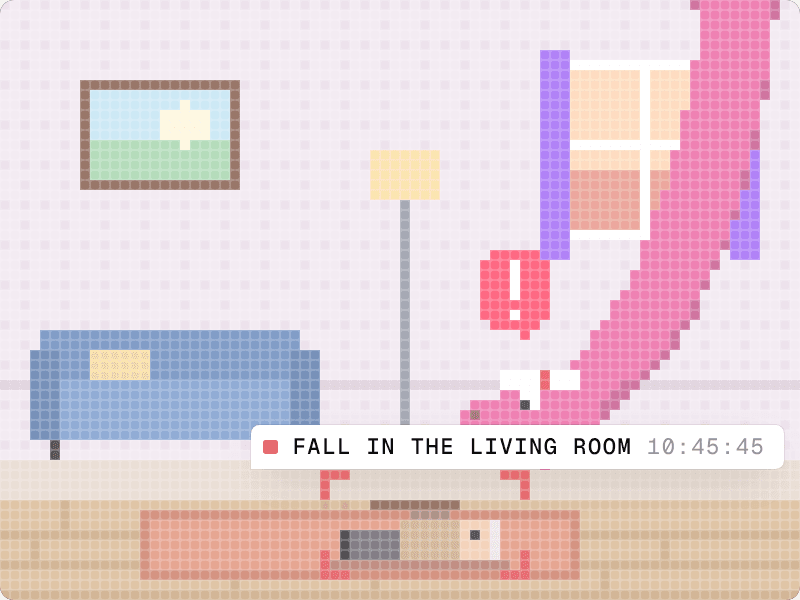
- Falls: “Someone falls and stays on the floor.” “Mum is up at night without her walking frame.”
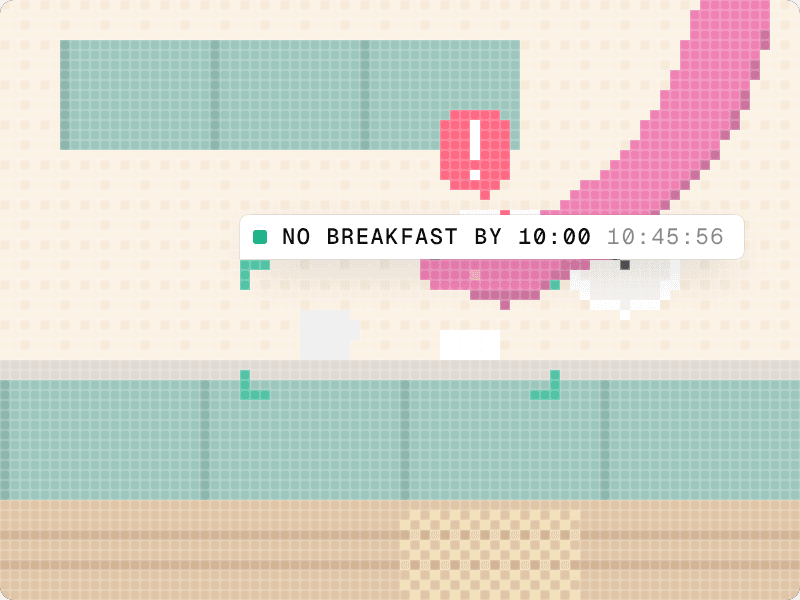
- Daily routine: “Nobody has been in the kitchen by 10:00.” “The evening pills are still in the box at 22:00.” “Dad hasn’t got up from the armchair all afternoon.”
- Doors and wandering: “The front door opens between midnight and 6:00.” “The front door has been left open.”
- Visitors: “Someone Mum doesn’t usually see is let into the house.”
- Risks at home: “Someone is standing on a chair.” “The window is open at night.” “Water is overflowing from the sink.”
Why “person detected” isn’t enough
Most cameras with “AI” today run object detection. They can tell you that a person, a pet or a car is in the picture. In a home where your parent lives, a person is always in the picture. Object detection can’t tell standing from lying on the floor, walking to the kitchen from walking out of the front door at 3 a.m., or a familiar carer from a stranger with a clipboard.
Agentinosaurus looks at a short sequence of frames and answers the question you actually asked. When it’s happening, you get a message in plain words, not a motion clip to decode.
| Typical camera AI | Agentinosaurus with d1 | |
|---|---|---|
| What it reacts to | Motion, or a fixed list: person, pet, vehicle | Any situation you can describe in a sentence |
| A normal afternoon | “Person detected” dozens of times | Silence |
| A fall | “Person detected”, if the person is still in view | “Someone is on the floor in the living room and hasn’t got up” |
| Something that didn’t happen | Nothing to detect | “Nobody has been in the kitchen by 10:00” |
| Who has to look | You, to find out what the alert means | Nobody, unless the alert asks for help |
Privacy: the most respectful camera is one nobody looks at
When an AI does the watching, the family no longer needs the live view to feel reassured. That changes the privacy conversation completely. The question is no longer “who can see Mum?” but “what should someone be told about?”
Agentinosaurus is built so that the answer stays in the house. With LiquidAI d1, every frame is analysed on the computer it was captured on. It is never sent to a cloud AI provider and never passes through our servers. Faces are blurred before the model sees a frame, areas you hide are blacked out, and incident snapshots stay on the Station at home. The family’s workspace receives only the result: what happened, on which camera and when.
You can still open a camera when an alert arrives, if that’s what you agreed with your parent. But nobody has to sit and watch, and on an ordinary day nobody does.
- Talk first. Agree together which rooms have a camera, which Events it watches for and who gets told.
- Keep cameras out of bathrooms and bedrooms. Where a camera does see a bed or a doorway, hide the parts that aren’t needed.
- Write the agreement into the Events themselves. “Someone falls” is a very different camera from “tell me everything that happens”.
- Never install a camera your parent doesn’t know about. If they have dementia, involve whoever shares the decisions about their care.
What it cannot replace
A camera that pays attention is a safety net, not a care plan. It doesn’t replace visits, phone calls or the carers who come in each day. It can’t see what is out of view, and a fall in the bathroom needs another layer of protection, such as a wearable alarm or a pull cord.
It isn’t a medical device either. An Event like “someone falls” describes what is visible. It doesn’t diagnose a stroke or measure a pulse, and an alert is a reason to call or go round, not a replacement for emergency services.
What you need
Most families already have two of the three things.
| You need | Why | Good to know |
|---|---|---|
| A camera that shares a local stream (RTSP or ONVIF) | Station reads the picture straight from the camera on the home network | Most Tapo, Reolink, Amcrest, Hikvision and Dahua cameras qualify, and some eufy indoor ones. Ring, Nest and Blink don’t. |
| A computer that stays on | Station and the d1 model run there, next to the cameras | Windows, macOS or Linux, at least 8 GB of memory and about 3 GB of free disk space |
| An Agentinosaurus workspace | Where you write Events and the family receives alerts | Invite brothers, sisters or a neighbour so the right person hears first |
How to set it up so it still feels respectful
Plan about half an hour for the first camera, most of it spent talking rather than configuring.
- Agree on the purpose with your parent: which situations matter and who should be told.
- Start with one shared room, usually the living room or the hallway between the bedroom and the kitchen.
- Turn on the camera’s local stream (RTSP) in its own app, and check the Wi-Fi is strong where it stands.
- Install Station on a computer in the house and leave “Set up the local AI model” checked. d1 downloads and checks itself in the background.
- Add the camera, then hide anything that doesn’t need to be seen: a bed, a bathroom door, a window to the neighbours.
- Write two or three Events in plain words. Start with a fall and one routine sign, like the kitchen staying empty all morning.
- Set the schedule. Falls deserve continuous analysis around the clock. A routine check only needs the hours it’s about.
- Choose who gets told. Push notifications reach the family’s phones; a webhook or Zapier can turn the same alert into a phone call or a text to a neighbour.
- Test it together: sit down on the floor, open the front door, leave the kitchen empty, and see what arrives.
- Review after a week. Reword any Event that was too eager or too quiet, and add the next one only when the first feels right.
Which Events to start with
These five cover most families’ first worries. Each one is a single sentence in Agentinosaurus.
| Event | Camera | When | Who is told |
|---|---|---|---|
| Someone falls and stays on the floor | Living room, hallway | Always, continuous analysis | Phone call to you, push to the family |
| Nobody has been in the kitchen | Kitchen | 7:00 to 10:00 | Push to the family |
| The front door opens | Hallway | Midnight to 6:00 | Phone call to you |
| The front door is left open | Hallway | Always | Push to the family |
| Someone is standing on a chair or a step | Kitchen | Always | Push to the family |
What it costs
A camera slot costs $9 per month. With LiquidAI d1 there is no AI provider bill on top: no API key, no usage charges, and a camera that analyses around the clock costs the same as one that checks twice a day, the electricity of a computer that’s on anyway.
That matters for elderly care in particular. Falls are exactly the kind of Event that needs continuous analysis, and continuous analysis through a cloud provider can cost a few dollars per camera per day. Locally, the safest setting is also the cheapest one.
How well does a local model spot a fall?
In our October 2026 comparison, four models, including d1, received the same frames from two staged floor falls and three everyday scenes: lying down on a bed, sitting on a bed and reading quietly. All four caught both falls and stayed quiet during all three everyday scenes.
That’s a small, staged sample, not a promise. Every home, camera angle and light is different, so the testing step in the setup above isn’t optional: act it out on your parent’s cameras before you rely on it.
Conclusion
Caring for a parent from a distance used to mean choosing between not knowing and watching. In 2027 there’s a third way: let the cameras pay attention, keep every frame at home, and agree together on the few things the family should hear about.
Start with one camera and one sentence, the thing you worry about most. Then call your mum anyway.
FAQ: Which camera should I use?
The one you already have, if it shares a local RTSP stream. An indoor pan-and-tilt camera with a wide view of the living room works well. Cloud-only cameras such as Ring, Nest and Blink can’t connect, and battery cameras that sleep between motion events can’t watch around the clock.
FAQ: Can I monitor my parents without them knowing?
You shouldn’t, and in many places it isn’t legal. Hidden cameras also undermine the trust the whole arrangement depends on. Agree on the cameras and the Events together; an AI that only speaks up for a fall is much easier to say yes to than a live view.
FAQ: Does it work without the internet?
The analysis does. d1 runs on the computer in the house, so cameras keep being checked even with a slow connection. Alerts need the internet to reach your phone, and if a camera can’t be analysed, Station tells you so instead of silently stopping.
FAQ: Can a home camera detect a fall?
A camera with object detection can only tell you a person is in view. Agentinosaurus answers the question “has someone fallen and stayed on the floor?” by looking at a sequence of frames. It can’t see what is out of view, so combine it with a wearable alarm for bathrooms and bedrooms.
FAQ: Do I need to pay a monthly fee?
Yes, $9 per camera slot per month. With the local d1 model there are no AI usage charges on top, so watching around the clock doesn’t cost more than watching for an hour.