How Can You Add AI to Your Existing Security Cameras?
- Written by
- Agentinosaurus Team
- Published
- Reading time
- 5 min read
You don’t need new cameras to get AI alerts. If your camera can share a local video stream (RTSP), you can give it a job in plain language, choose when it watches, and get an alert when it happens.
Can an ordinary security camera become an AI camera?
Yes. Most security cameras sold in the last few years can share a live video stream on your local network using a standard called RTSP. Agentinosaurus connects to that stream through Station, a small app on a computer at your home or business, and checks the picture against situations you describe in your own words.
The camera keeps doing what it already does: recording, motion clips, the manufacturer’s app. Agentinosaurus adds a second job on top: paying attention to the one thing you care about and telling you when it happens.
| Camera on its own | Camera with Agentinosaurus | |
|---|---|---|
| What it reacts to | Motion, or a fixed list like person, vehicle, pet | Anything you can describe: “The garage door is open”, “Someone falls and stays on the floor” |
| Typical alert | “Motion detected” | “The garage door has been open for 10 minutes” |
| When it watches | Always, or the camera’s schedule | Always, or hours you choose per Event |
| Hardware | — | The same camera plus a computer that stays on |
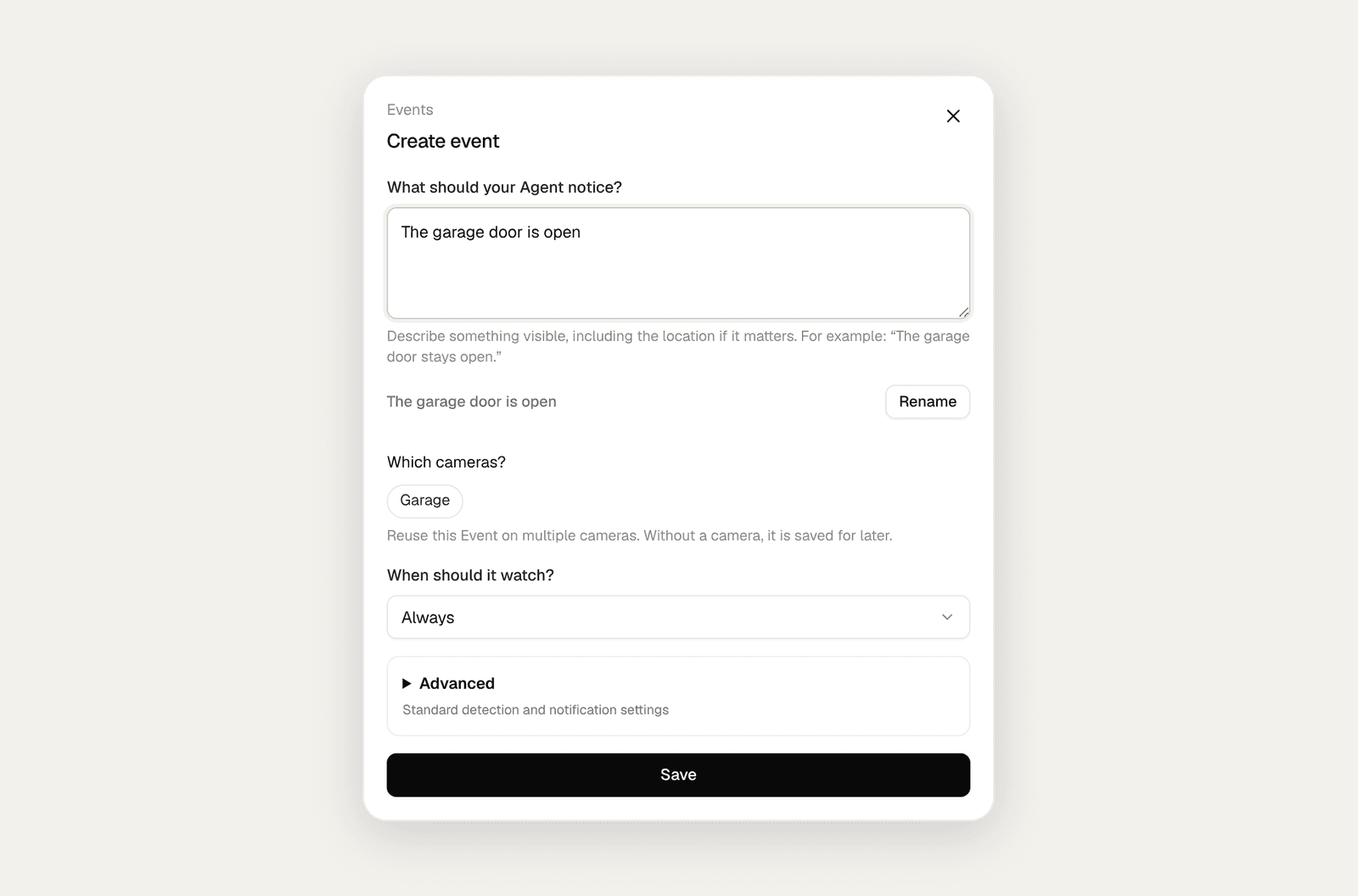
What can you ask your camera to watch for?
Describe something the camera can actually see. Each instruction becomes an Event, and one camera can watch for several Events at once. The clearer and more visual the sentence, the better the result.
- Home: “The garage door is open”, “A person is at the side gate after 11 pm”, “The dog is on the sofa”.
- Care: “Someone falls in the hallway and stays on the floor”.
- Shop: “A person is inside the shop” (after closing), “Someone puts an item in a bag instead of the basket”.
- Workplace: “Boxes are blocking the fire exit”, “A person is on a ladder without anyone nearby”.
What do you need to get started?
Three things, and you probably have two of them already.
| You need | Why | Good to know |
|---|---|---|
| A camera with RTSP (or ONVIF) | Station reads the camera’s local video stream | Most Tapo, Reolink, Amcrest, Hikvision, Dahua, ANNKE, Axis and Uniview cameras qualify. Cloud-only cameras like Ring or Nest don’t. |
| A computer that stays on | Station runs there and connects to your cameras | Windows, macOS, Linux or a Raspberry Pi 4/5 on the same network as the camera |
| An AI provider | Analyses the frames you choose to check | LiquidAI d1 locally on a desktop Station, or TypeSafe AI and OpenAI with your own key. |
How do you add AI to a camera?
Plan about 15 minutes for the first camera. Most of that time goes into finding the camera’s stream address.
- Turn on the camera’s local stream. Depending on the brand, that means creating a camera account (Tapo), enabling RTSP (Reolink) or simply noting the camera login (Amcrest, Hikvision, Dahua).
- Install Station on a computer on the same network and pair it with your workspace using the code it shows.
- Add the camera. Choose Find cameras to discover it automatically over ONVIF, or paste its RTSP address manually.
- Write your first Event in one sentence and select the camera that has a clear view of it.
- Choose your AI provider and add its API key once for the Station.
- Pick Always or a schedule, turn on push notifications, then act out the situation in front of the camera to test it.
| Brand | How to turn it on | Typical main-stream address |
|---|---|---|
| TP-Link Tapo | Tapo app → Advanced Settings → Camera Account | rtsp://CAMERA_IP:554/stream1 |
| Reolink | Reolink app or Client → Network → Advanced → Server Settings → RTSP | rtsp://CAMERA_IP:554/Preview_01_main |
| Amcrest | On by default; use the camera login | rtsp://CAMERA_IP:554/cam/realmonitor?channel=1&subtype=0 |
| eufy (selected powered models) | eufy app → camera settings → General → Storage → RTSP / NAS | Copy the address the app generates |
| EZVIZ | Username admin, password is the verification code on the label | rtsp://CAMERA_IP:554/ch1/main |
| Hikvision | Camera web page → Network → Advanced → RTSP (on by default) | rtsp://CAMERA_IP:554/Streaming/channels/101 |
| ANNKE | Activate with SADP or the camera web page | rtsp://CAMERA_IP:554/H264/ch1/main/av_stream |
| Dahua | On by default; use the camera login | rtsp://CAMERA_IP:554/cam/realmonitor?channel=1&subtype=0 |
| Axis | On by default; create a viewer account | rtsp://CAMERA_IP:554/axis-media/media.amp |
| Hanwha Vision (Wisenet) | On by default; pick the media profile number | rtsp://CAMERA_IP:554/profile2/media.smp |
| Uniview | On by default; use the camera login | rtsp://CAMERA_IP:554/media/video1 |
Can your camera watch all day or only at certain times?
Both, and you choose per Event. A driveway might matter overnight, a stockroom after closing, a parent’s hallway around the clock. The camera and Station only need to be powered and connected during those hours.
You also choose how often the camera is checked. When something moves, Agentinosaurus analyses a short series of frames (by default 20 frames over 20 seconds); in quiet periods it still checks every few minutes, so a door that was left open is noticed even without movement. For situations where every second matters, switch the camera to continuous analysis.
| How the camera analyses | Checks per day | Approximate AI cost per day |
|---|---|---|
| On movement, quiet scene | About 290 | About $0.15–0.20 |
| On movement, busy scene | Varies with activity | Between the two |
| Continuously, 24/7 | About 4,300 | About $2.50 |
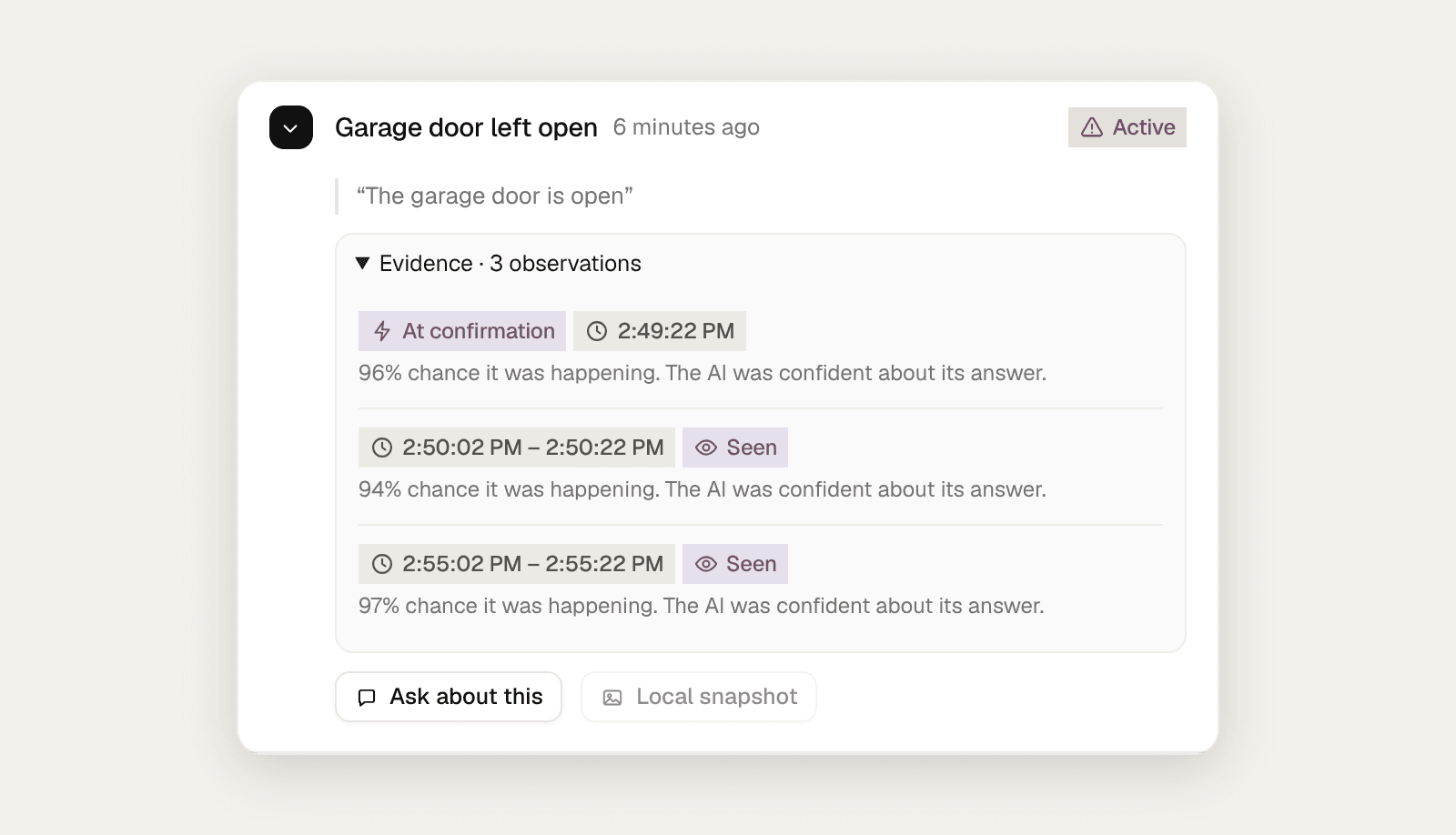
What happens when your camera spots an Event?
You get a Message in your workspace and a push notification on your phone or browser, with the camera name, the Event and what the AI saw. The same ongoing situation stays one incident instead of a stream of alerts, and you can ask to be reminded while it continues or told when it ends.
From the incident you can open the camera, see the local snapshot (it stays on your Station, not on our servers) and ask follow-up questions in Camera Chat. Businesses can also send each alert to their own systems with Webhooks or Zapier.