“Someone falls in the hallway and stays on the floor.”Use this Event →
AI fall detection with your existing cameras
Know when someone falls and doesn’t get up.
Describe a fall in your own words. Your cameras watch for it and tell you the room, the time and what they saw.
- Nothing to wear or press
- Works with your existing cameras
- Faces blurred by default
RECLiving room
How it tells a fall from sitting down.
A fall is a sudden movement followed by someone who stays down. Your Agent looks for both, the way you describe them.
Describe the fall
Write what you would tell a colleague: “Someone falls and stays on the floor.” Add the room or a landmark if it matters.
The Agent watches
Your Station sends short sequences of frames to your AI model, which checks them against your description.
It waits to be sure
With “Only if it continues…”, someone who kneels to tie a shoe or sits on the floor to play does not trigger an alert.
You hear about it
Each fall becomes an Incident in Messages, with Push, Email or a webhook for whoever is on duty.
Ready-made fall Events.
Open one in your workspace, choose the cameras and save. Change the words to fit your space.
“A person is on the floor beside the bed and is not getting up.”Use this Event →
“Someone falls on the stairs or is lying at the bottom of them.”Use this Event →
“A resident falls while standing up from a chair or walking with a frame.”Use this Event →
“A worker slips, falls from a ladder or is lying on the floor between the racks.”Use this Event →
“Someone collapses or lies on the gym floor without moving.”Use this Event →
Set it up for falls.
A few settings make the difference between a useful alert and a noisy one.
Wait 30 seconds or more
Under Advanced, choose “Only if it continues…” and set the required duration. Someone who gets straight back up does not trigger an alert.
Sample once a second
Falls are quick. In observation settings, choose one frame per second or more, so the Agent can see the fall itself.
Keep the floor in view
Choose views that show most of the floor, with enough light or night vision after dark. Furniture in front of the floor hides falls.
Watch when it matters
Set a schedule for the hours someone is alone, or watch around the clock.
Reach whoever can help
Turn on Push on each phone that should hear about it, add Email, or use Zapier or a webhook for SMS and team chat.
Test it safely
Lie down on the floor in view of the camera for longer than the duration you set, then read the Message and adjust the wording.
How it compares with other fall alarms.
Each option has its place. Many families and care teams combine them.
Pendant and watch alarms
Work in any room, as long as they are worn, charged and often pressed. A camera needs nothing from the person, but only sees the rooms it covers.
Motion and radar sensors
Notice movement or its absence. A camera Agent describes what it sees, so the Message says “lying beside the bed”, not only “no movement”.
Ordinary CCTV
Records a fall for someone to find later. An Agent watches the same camera live and tells you while it still matters.
Private enough for the rooms where falls happen.
Falls happen in bedrooms, hallways and care rooms, where privacy matters most.
- Your Station pixelates faces before a frame reaches the AI or an incident snapshot.
- Hidden areas black out a bed, a window or anything that must never be seen.
- Frames go directly from your Station to your AI provider, never through our servers.
- Snapshots stay on your Station for up to seven days.
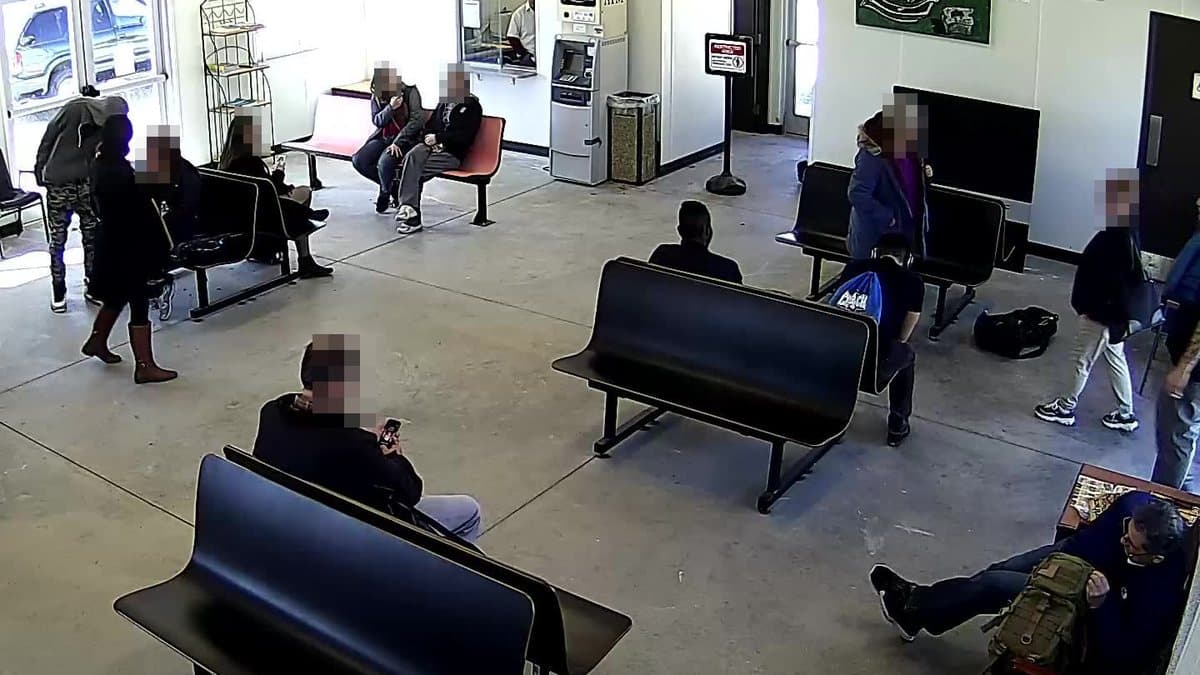
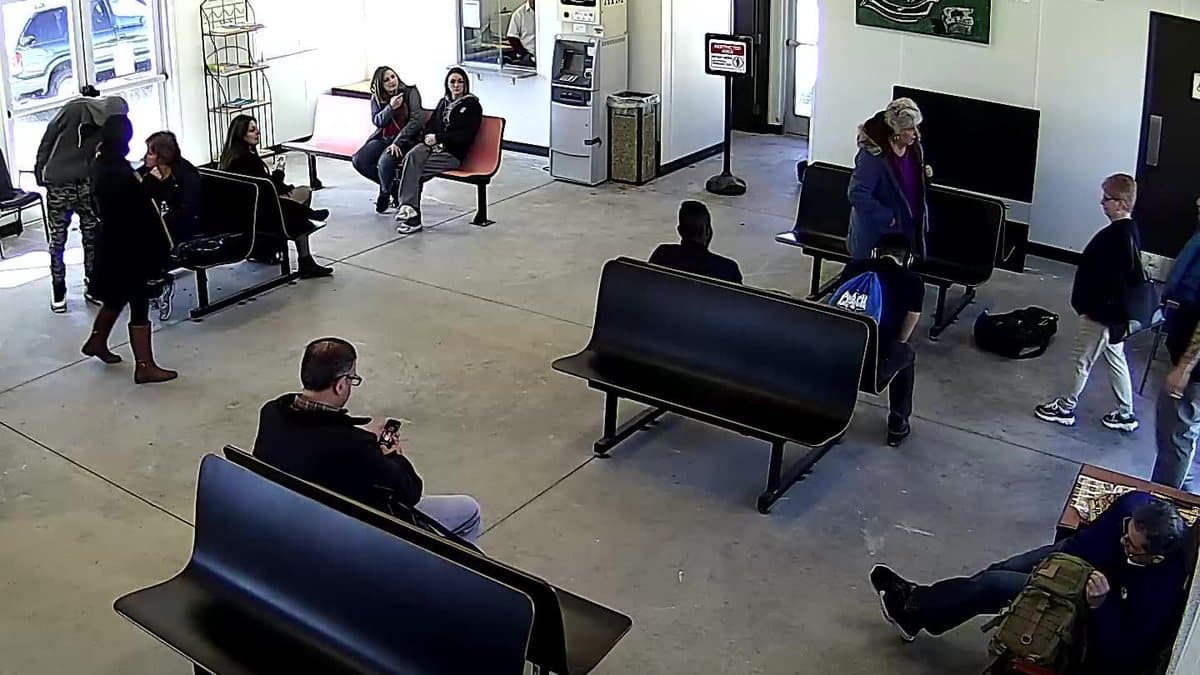
Before you rely on it.
Camera fall detection is an extra pair of eyes. Plan around what it cannot do.
It only sees what the camera sees
Falls out of view, behind furniture or in rooms without a camera go unnoticed. Keep a pendant or regular check-ins for those places.
It is not a medical device
It does not assess injuries or call emergency services. Keep your emergency plan and care procedures in place.
Alerts are not instant
Expect the duration you set, plus the time your AI model needs to check the frames.
It needs power and internet
The camera, Station and network must stay on. Monitoring-interruption Messages tell you when a camera stops working.
AI can be wrong
It can miss a fall or flag someone resting on the floor. Test it in your space and adjust the wording.
Agree on cameras together
Talk to the person being watched, or follow your organisation’s consent and privacy rules, before placing cameras in private rooms.
Where fall detection helps.
Questions & answers
How accurate is camera fall detection?↓
It depends on the camera view, the light, the AI model and your settings. A clear view of the floor and a required duration of 30 seconds or more help avoid false alerts. Test it with a safe re-enactment before you rely on it.
How quickly will I hear about a fall?↓
Once the person has stayed down for the duration you set, plus the time your AI model needs to check the frames. Push arrives on the devices you chose for the Event. Email is sent at most once every 15 minutes for the same Event and camera.
Do they need to wear or press anything?↓
No. The Agent watches the camera view, so there is nothing to wear, charge or press. It can only notice falls the camera can see.
Does it work at night?↓
Yes, if the camera can see the floor in the dark, for example with infrared night vision. Check a night-time view before you rely on it.
Can more than one person get the alert?↓
Yes. Turn on Push on every phone or computer signed in to your workspace and choose which devices each Event reaches. Zapier and webhooks can forward Incidents by SMS, Slack or Teams.
Can I use it in a bedroom or bathroom?↓
In a bedroom, agree on the camera with the person and use hidden areas for anything that should stay private. We don’t recommend cameras in bathrooms; watch the hallway outside instead.
Which cameras can I use?↓
Most network cameras you already have. Find your brand and model in our supported-camera guides, connect it to your Station and attach the fall Event.
What does it cost?↓
$9 per camera per month, with no base fee. AI usage is billed separately by the AI provider you choose.
Know when someone needs help getting up.
Create a fall Event →$9 per camera per month. Bring your own AI provider key.